
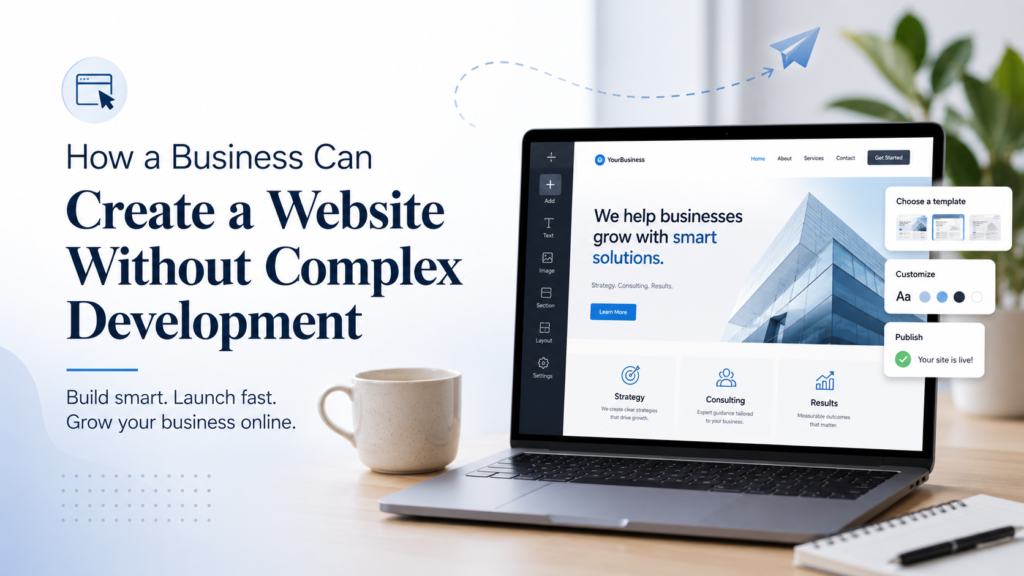
A business website is no longer something optional. Even if a company gets most of its clients through referrals, social media, offline networking, or local advertising, potential customers still want a place where they can check basic information. They want to understand who you are, what you offer, where you are located, how to contact you, and whether your business looks trustworthy.
At the same time, not every company needs a large custom development project. A small business, consultant, local service provider, agency, or private specialist often needs a simple but well-structured website: several key pages, clear service descriptions, contact details, and a way to send a request.
The goal is not to build the most complicated website possible. The goal is to create a website that looks professional, loads quickly, explains the offer clearly, and helps visitors take the next step.
What a Business Website Should Do
Before creating a website, a company should define what the website is supposed to achieve. Many businesses make the mistake of starting with design first. They choose colors, images, and layout before deciding what the visitor should understand or do.
A good business website should answer several basic questions. What does the company do? Who is the service for? Why should the visitor trust this business? What exactly can the customer order, book, or request? How can they contact the company?
For a consulting agency, service business, local company, or small professional firm, the structure can be simple. A website may include a homepage, services page, about page, reviews section, contact page, and several blog posts. This is usually enough to present the business clearly without overwhelming the visitor.
The website should also support future marketing. If a company wants to run ads, publish expert articles, collect leads, or send potential clients to a professional online profile, the website becomes the center of that activity.
Why Custom Development Is Not Always Necessary
Custom development is useful when a business needs complex functionality: user accounts, dashboards, databases, advanced integrations, custom booking systems, internal automation, or unusual user flows.
But if the main task is to present a company, describe services, collect inquiries, and publish content, building a website from scratch may be excessive. It can take more time, require a larger budget, and create ongoing maintenance work.
For many small and medium-sized businesses, a website builder is a more practical solution. Website builders offer ready-made templates, visual editing, adaptive layouts, contact forms, image blocks, maps, buttons, galleries, and basic SEO settings. This allows a business to launch a website faster without hiring a full development team.
This does not mean that website builders are only for temporary projects. If the website is planned properly, uses clear copy, and has a logical structure, it can become a stable online presence for years.
What to Prepare Before Building the Website
Before opening any website builder, it is worth preparing the basic content. This saves time and helps avoid a weak, generic website.
Start with a short description of the business. It should explain what you do in plain language. Then prepare a list of services, each with a few sentences about what the service includes and who it is for.
Next, collect trust-building information. This may include years of experience, client types, project examples, testimonials, certifications, local address, team details, or a short founder story. You do not need to include everything, but the website should give visitors enough reasons to believe that the business is real and reliable.
It is also important to prepare contact details: phone number, email address, business address, working hours, and social profiles if they are active. A website without clear contact information often loses potential clients.
Finally, think about the main call to action. Should visitors book a consultation, request a quote, call the office, fill out a form, or visit a physical location? This action should be visible on the homepage and repeated in the right places.
Step-by-Step Guide: How to Create a Website
One practical option for launching a business website is uKit. It is a website builder designed for users who need a professional-looking site without writing code. It can be useful for consultants, agencies, local services, independent professionals, small companies, and other businesses that need a clean online presence.
Step 1. Choose a Suitable Template
The first step is to choose a template that matches the type of business. uKit offers templates for different industries, so it is better to start with a layout that is already close to your needs.
For example, a consultant may choose a template with sections for services, biography, reviews, and contact forms. A local business may choose a template with a map, service blocks, and working hours. The template does not need to be perfect from the start because it can be edited later.
Step 2. Replace Demo Text With Real Content
After choosing the template, replace all placeholder text with real business information. This is one of the most important steps.
The homepage should explain the business immediately. Avoid vague phrases such as “we provide the best solutions.” Instead, write clearly: who you help, what you do, and what problem you solve.
Service descriptions should also be specific. If the business offers consulting, explain what kind of consulting. If it offers repair, design, coaching, research, legal support, or marketing services, describe what the client receives and when they may need it.
Step 3. Build a Clear Page Structure
A small business website does not need many pages, but it should be easy to navigate. A practical structure may include:
Home
Services
About
Reviews or Case Studies
Blog
Contact
The homepage should summarize the most important information. The services page should explain the offer in more detail. The about page should build trust. The contact page should make it easy to send a request or call the company.
If the business plans to publish articles, a blog can help with SEO and explain expertise to potential clients.
Step 4. Add Contact Forms and Calls to Action
A business website should make communication simple. In uKit, you can add contact forms, buttons, and other conversion elements without coding.
Place a contact form on the contact page and, if appropriate, on the homepage. Add buttons such as “Request a Quote,” “Book a Consultation,” “Contact Us,” or “Get Started.” The wording should match the business model.
Do not overload the website with too many calls to action. One clear action is often better than several competing options.
Step 5. Customize the Design
After the content is added, adjust the design. Use brand colors, upload a logo, replace stock images with relevant visuals, and check spacing between sections.
The design should support the content, not distract from it. For most business websites, clarity is more important than decorative effects. Visitors should be able to understand the offer quickly and find contact information without effort.
Step 6. Set Up SEO Basics
Before publishing the website, add SEO titles and descriptions for the main pages. These elements help search engines and users understand what each page is about.
Use simple, descriptive titles such as “Business Consulting Services in Nashville” or “Marketing Research Agency in Atlanta.” Avoid stuffing pages with keywords. The title should sound natural and match the page content.
Also check headings, image alt text, page URLs, and internal links. Even a simple website can benefit from clean SEO structure.
Step 7. Preview and Publish
Before publishing, preview the website on desktop and mobile devices. Check whether text is readable, buttons work, forms submit correctly, and contact details are accurate.
Pay special attention to mobile view. Many potential customers will open the website from a phone, especially if they find the company through search, maps, or social media.
Once everything looks correct, publish the website and connect a domain name.
What Makes a Website Effective After Launch
Publishing the website is only the beginning. A business website should be reviewed and improved over time.
Check whether visitors contact the company through the form. Look at which pages receive attention. Update service descriptions when the offer changes. Add new testimonials, project examples, or blog posts when available.
A website becomes more useful when it reflects the real business. Outdated contact information, old service lists, weak descriptions, or generic text can reduce trust. Regular updates help keep the website relevant.
It is also useful to ask customers how they found the company and what information helped them decide to contact you. This feedback can show which parts of the website work well and which need improvement.
Conclusion
A business website does not have to be complicated to be effective. For many companies, the best website is clear, fast, easy to manage, and focused on real customer questions.
Custom development is not always necessary. If the business needs a professional online presence, service descriptions, contact forms, and basic marketing support, a website builder can be a practical solution.
uKit is one option for creating this type of website without coding. The key is to start with a clear structure, replace template text with specific business content, make contact easy, and keep the website focused on the visitor’s needs.
A well-built website can help a business look more credible, explain its services better, and turn interested visitors into real inquiries.